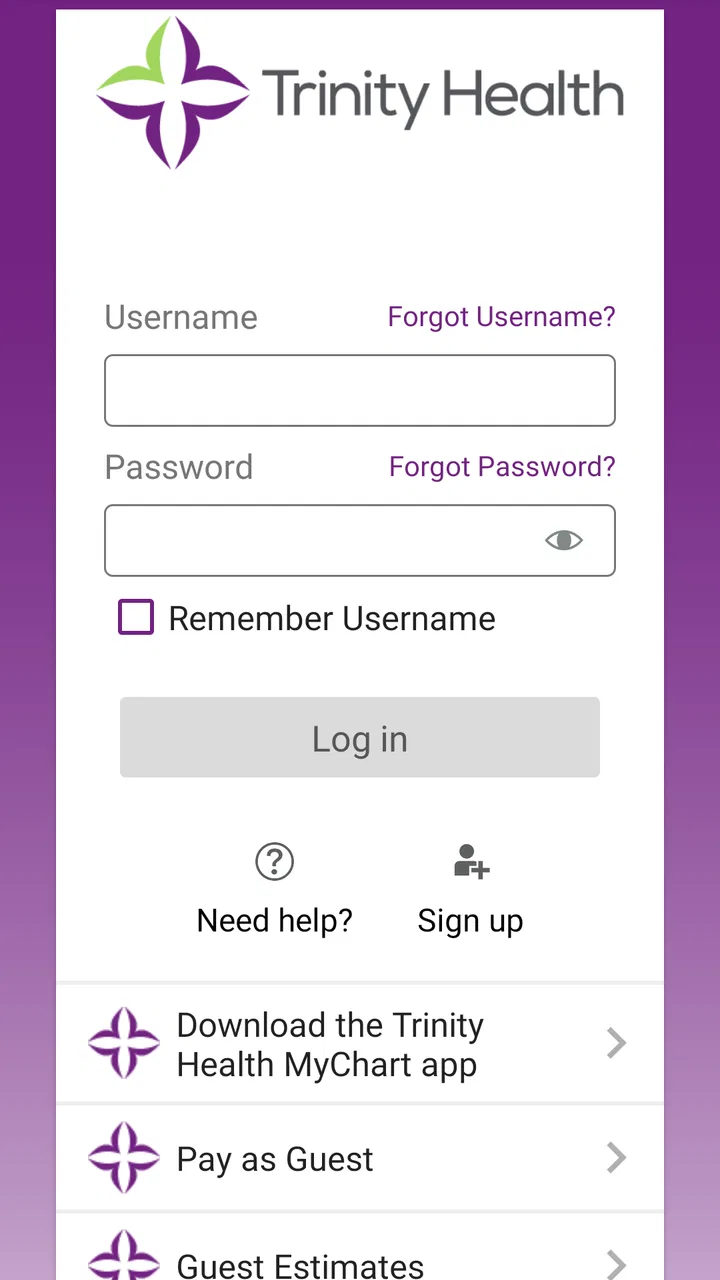
Trinity Health MyChart
- 4.2
- Rating
- 500.00K
- Installs
- Free
- Price

 Analysis by App-foxy
Managing medical information is rarely difficult because of the information itself. The frustrating part is usually getting to the right account, finding the right result, or working out whether a problem belongs to the app, the health system, or the phone. That is where Trinity Health MyChart fits in. It is a medical app from Trinity Information Services Web Development that lets patients use a Trinity Health MyChart account to manage their health information.
I see it as a practical companion for people who already receive care through Trinity Health and want a more direct way to handle routine account tasks. It is free, rated for Everyone, and has built a respectable user base with over one hundred thousand installs. Its average rating is 4.3 from around 3,700 ratings, which suggests that many patients find it useful while also reflecting the occasional friction that comes with healthcare accounts.
The important point is that this is not a general medical encyclopedia or a replacement for urgent care. Its value depends on having a connected Trinity Health account and using it for the kind of administrative and personal health-information tasks that are easier to handle digitally than by phone. In my experience, that makes the app most useful when I treat it as a secure doorway into an existing care relationship rather than as a standalone health tool.
You May Also Like

 Blood Strike: 2.5 Anniversary
Blood Strike’s Loadouts Turn Every Drop Into a Tactical Gamble
A close look at Blood Strike’s custom loadouts: how fast access to signature weapons reshapes its battle royale rhythm, rewards preparation, and narrows the gap between fights.

 Pandora - Music & Podcasts
Pandora’s Music Is Easy to Start, but Harder to Recover
Pandora’s strength is its low-effort path from a seed to a station. Its weak spot is how much confidence it asks you to place in connection, setup, and quiet recovery.

 8 Ball Pool
 Is Built on Rivalries, Rematches, and Routine
A close look at the rivalries, rematches, shared routines, and unanswered safety questions that turn a quick pool match into a persistent mobile community.

 Samsung Music
’s Quiet Strength Is Playing What You Already Own
Its reach comes less from spectacle than from dependable access to a personal library. That simplicity is both the app’s strongest retention engine and its ceiling.

 AccuWeather: Weather Radar
AccuWeather Review: A Quick, Clear Forecast for Everyday Decisions
For everyday plans, the best forecast is the one you can understand quickly. AccuWeather makes rain timing, radar, and local conditions easy to act on, with a few trade-offs.

 Hill Climb Racing
Why Hill Climb Racing Still Turns Crashes Into One More Run
A tiny car, a bumpy hill and one more upgrade: Hill Climb Racing keeps resurfacing because its simple chaos makes every near-miss feel personal.
More From Our News Desk



Getting past the first obstacles
I start this section with the practical hurdles that can make a patient portal feel harder than it needs to be: confirming that the right account is ready, checking device compatibility, and testing access before an appointment is close. A little preparation can save time, especially when you are helping someone else and need to keep their account separate from yours. Once those basics are clear, the next challenge is diagnosing what to do when a familiar workflow breaks.
Why the account matters more than the download
The first common misunderstanding is expecting the installation alone to provide access. Trinity Health MyChart is account-centered: the useful part begins after the app connects you with your Trinity Health MyChart account. If you are not already set up with the appropriate patient access, downloading the app will not magically create a complete medical record.
That distinction matters when deciding whether this app is right for you. Someone who regularly visits a Trinity Health facility and has been given MyChart access has a clear reason to try it. Someone looking for a universal health-record app that combines information from unrelated providers may find the experience narrower than expected. The app is designed around Trinity Health’s patient-access system, not around collecting every medical document from every organization.
I would begin by confirming which email address or login details are associated with the account before spending time troubleshooting the app. Patients often have several email addresses, old passwords, or more than one healthcare login. A failed sign-in can look like an application problem when the real issue is simply using credentials that belong to another portal.
Small preparation steps that save time
Before signing in, I recommend checking that the phone has a stable internet connection and that the operating system meets the app’s requirement. The current version is 11.5.2 and supports devices running Android 9 or later. If the phone is older or has not been updated for a long time, compatibility should be checked first rather than assuming every installation issue is caused by the account.
I also find it helpful to close other apps, restart the phone, and try again when the screen behaves strangely during setup. These are simple steps, but medical apps are often used at stressful moments, so a clean restart can prevent a temporary loading problem from becoming an unnecessary call to support.
Another useful habit is to keep the app updated through the normal app-store process. Updates can affect sign-in screens and compatibility, so a version that has been sitting untouched for a long time may not behave like the current release. At the same time, I would avoid deleting the app as a first reaction. Reinstalling does not replace the need for a valid MyChart account and can create extra work if you do not remember the login details.
What to check when the screen seems empty
An empty-looking account does not always mean that the app has lost your information. The account may not yet be connected to the expected Trinity Health record, or the information you are looking for may not have been posted in the way you expected. I would first confirm that I am signed into the correct account, then look for the relevant area again after allowing the app time to load over a reliable connection.
This is especially important after a clinic visit. A patient may expect every conversation, document, or result to appear immediately, while the health system may still be processing the information. The sensible response is to distinguish between “the app cannot open” and “the account opens but does not show the item I expected.” Those are different problems and need different next steps.
If the account opens normally but a particular record is missing, contacting the relevant clinic or Trinity Health support channel is more productive than repeatedly reinstalling the application. The app can display information available through the connected account, but it cannot independently add a document that has not been attached to that record.
Making everyday use less stressful
I would not wait until an appointment begins to discover whether the login works. Opening the app beforehand gives you time to recover access, check the account, and make sure you know where the information you need is located. This is a small change in routine, but it is one of the most practical ways to avoid being stuck in a waiting room with a forgotten password or a slow connection.
A realistic example is preparing for a follow-up visit. The evening before, I could open the app, confirm that I can sign in, review the information already available, and note any questions I want to raise with the care team. If the account does not load, I still have time to use the appropriate support route instead of treating the appointment itself as a troubleshooting session.
For family members helping someone else, the key issue is keeping account boundaries clear. I would not assume that one person’s login should be used for another person’s care. If a caregiver needs access, the correct arrangement should come through the health system’s own process. Sharing passwords casually may seem convenient, but it makes it harder to know who is viewing or managing sensitive information.
Recovering a workflow when something goes wrong
When access falters, I find it useful to identify the exact point of failure before trying fixes: opening the app, signing in, or finding a particular record. That distinction helps avoid repeating steps that cannot solve the problem, such as reinstalling when the account itself needs attention. I’ll look next at a calm recovery sequence and when it makes more sense to contact the health system.
Separate sign-in trouble from app trouble
When I review a medical app, I pay close attention to the point where a problem occurs. If the app will not open at all, the phone, installation, connection, or compatibility is a reasonable place to start. If the app opens but rejects the login, the account credentials or access status deserve attention. If the login succeeds but a record is missing, the issue may be related to the health-system account rather than the application on the phone.
This simple separation prevents a lot of wasted effort. Restarting a phone may help a frozen screen, but it will not correct an expired password. Resetting a password may restore access, but it will not make an unavailable document appear. I prefer to identify the failed step first and then choose the smallest reasonable fix.
If the app repeatedly returns to the sign-in screen, I would check the connection, close and reopen the app, and try again later before making major changes. If the behavior continues, recording exactly what happened—whether the app crashed, displayed an error, or simply returned to the login screen—will make a support conversation much clearer.
Use a calm recovery sequence
My recovery sequence is deliberately conservative. First, I confirm the internet connection. Next, I restart the app and phone. Then I verify that the device meets the Android requirement and that the application is current. After that, I try the account recovery route associated with MyChart rather than guessing passwords repeatedly. Only once those steps fail would I consider contacting support or the healthcare organization.
This order is useful because it protects access. Repeatedly entering guesses can make the situation more confusing, while deleting the app can leave a user without an easy way to test whether the original issue was temporary. A short pause between attempts is often better than rapidly repeating the same action.
I would also keep expectations realistic when using the app during a busy appointment day. A slow response may be caused by network congestion, a temporary service issue, or the phone itself. If the information is urgent for a clinical decision, I would tell the healthcare professional directly rather than relying on the app to load at exactly the right moment.
When the app is not the cause
Healthcare information passes through several stages before it reaches a patient-facing account. A clinic may need to finalize a note, a result may need to be processed, or an account may need to be connected to the correct record. Because of that, the app can be working correctly while the information a patient wants is still unavailable.
This is one of the most important trade-offs with a patient portal. It is more convenient than calling for every routine question, but it does not remove the underlying administrative steps of healthcare. If a result is absent, I would avoid assuming that the app deleted it or that the phone is malfunctioning. I would check the account carefully and then ask the care provider or support team about the missing item.
The same principle applies to appointment-related expectations. An app can be a useful place to manage information connected to care, but it should not be treated as an emergency communication channel unless the healthcare organization explicitly directs patients to use it that way. For urgent symptoms or immediate danger, I would use appropriate emergency or clinical services instead of waiting for a portal screen.
Privacy is another reason to use judgment. A shared or unlocked phone can expose personal health information even when the app itself is functioning properly. I would use the device’s normal security protections, avoid leaving the account open for someone else, and be careful when accessing records in public places. These are not glamorous features, but they matter more than a polished interface when the content is sensitive.
Who benefits most from this app?
The strongest audience is a Trinity Health patient who wants a convenient way to stay connected with their existing medical information. It can be particularly helpful for people who dislike making phone calls for routine account questions, who want to prepare before visits, or who need to check their information away from a desktop computer.
It also suits users who are comfortable doing a little account maintenance themselves. The app rewards people who can distinguish login issues from record issues and who are willing to check their connection, device compatibility, and account details before escalating a problem.
I would be more cautious recommending it to someone who has no Trinity Health MyChart account, expects one portal to combine records from unrelated providers, or needs immediate medical advice. In those cases, the usual alternative may be better: contact the relevant clinic directly, use the provider’s established support process, or seek urgent care when the situation requires it. A general health-information app may also be more suitable for educational reading, since this application’s purpose is tied to managing personal account information.
How it compares with the usual alternatives
Compared with calling a clinic, a patient portal can reduce dependence on office hours for routine account access. I appreciate that convenience, especially when I only need to review information already connected with my care. The trade-off is that a phone conversation may resolve unusual account problems faster, particularly when records need to be linked or corrected by staff.
Compared with using a desktop browser, the mobile app is more convenient for quick checks because it is already on the phone I carry. A browser can still be preferable when I need a larger screen, when the phone is old, or when I am more comfortable navigating account pages with a keyboard. I would not choose the mobile version simply because it is mobile; I would choose it when quick access outweighs the comfort of a larger display.
Compared with a general wellness tracker, this app has a different job. It is not the tool I would choose for exercise trends, nutrition logging, or broad health education. Its strength is the connection to a Trinity Health MyChart account. That specialization is useful for the right patient and a limitation for anyone seeking an all-purpose health dashboard.
What I would improve in my own routine
I would use the app as part of a simple before-and-after-visit workflow. Before an appointment, I would confirm access and review the information already available. During the visit, I would avoid depending on the app for anything that needs an immediate answer. Afterward, I would check again when I have a stable connection and contact the provider if an expected item remains absent.
I would also keep a private note of the account recovery details I am allowed to use, without storing sensitive information where other people can easily see it. That small preparation makes the difference between a five-minute login recovery and a frustrating cycle of guesses, reinstallations, and support requests.
Another practical tip is to describe problems precisely. “My health information is missing” is broad; “I can sign in, but the expected item is not visible” tells support much more. Likewise, “the app will not open” is different from “the app opens, but the login fails.” Clear descriptions shorten the path to the right solution.
My practical verdict
Trinity Health MyChart is a focused medical app rather than a universal health platform. I recommend it to Trinity Health patients who already have the matching MyChart account and want a convenient mobile route to their health information. The free price removes the financial barrier, and the Everyone age rating makes it broadly approachable, although sensitive account access still calls for responsible phone security.
Its main weakness is not necessarily a missing feature; it is the dependency on account setup and healthcare-system availability. A download cannot solve an unlinked record, an incorrect login, a delayed document, or an urgent clinical need. Users who understand that boundary will have a much smoother experience than those expecting the app to function as an independent medical service.
The application was released on January 9, 2020, and its current version is 11.5.2. Those details are useful when checking whether a device is compatible, but the more important test is personal: do you receive care through Trinity Health, and do you have access to its MyChart system? If the answer is yes, I think this is worth keeping installed and testing before you need it.
My final recommendation is straightforward. Set up access when you are calm, verify that the account opens, learn where your commonly needed information appears, and keep a direct support option in mind for problems the app cannot fix. Used that way, Trinity Health MyChart can make routine health-information management less dependent on phone calls without pretending to replace the people and systems behind your care.
FAQs for Trinity Health MyChart
01What is Trinity Health MyChart?
Trinity Health MyChart is a secure online platform that allows patients to access their medical records, schedule appointments, request prescription refills, and communicate with their healthcare providers conveniently. It aims to enhance patient engagement by providing essential health information at your fingertips, anytime and anywhere.
02How do I sign up for Trinity Health MyChart?
To sign up for Trinity Health MyChart, patients need to create an account by visiting the MyChart website or downloading the app. You'll need an activation code, which can be provided by your healthcare provider. Once you register with personal details, you'll have full access to your health information.
03Is Trinity Health MyChart secure?
Yes, Trinity Health MyChart is designed with stringent security measures to protect your personal health information. It uses encryption and secure login protocols to ensure data privacy. Always keep your username and password confidential to maintain the security of your account.
04Can I access Trinity Health MyChart on multiple devices?
Yes, Trinity Health MyChart is accessible on various platforms, including smartphones, tablets, and computers. You can download the app from the App Store or Google Play, or access it via a web browser. This flexibility ensures you can manage your health information wherever you are.
05What should I do if I forget my Trinity Health MyChart password?
If you forget your password, you can easily reset it by clicking on the 'Forgot Password?' link on the login page. Follow the prompts to verify your identity, and an email with instructions to create a new password will be sent to your registered email address.
Pros
- User-friendly interface for easy navigation.
- Quick access to medical records anytime.
- Secure messaging with healthcare providers.
- Appointment scheduling is straightforward.
- View test results instantly once available.
Cons
- Limited customization of notifications.
- Occasional login issues reported by users.
- Some features require strong internet connection.
- Limited support for older devices.
- Billing section can be hard to navigate.

Trinity Health MyChart
Gallery